What this add-on does
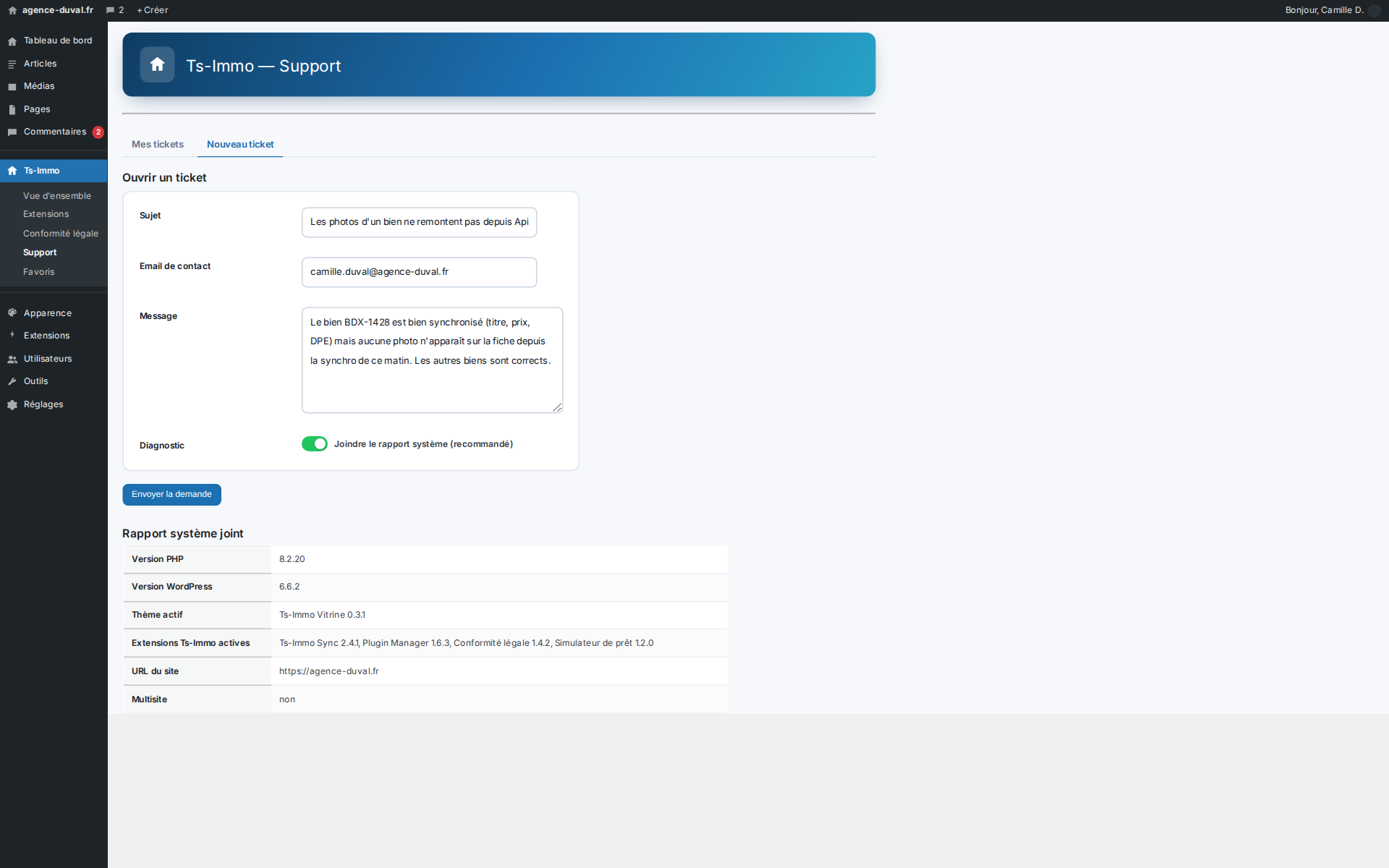
The Support add-on adds a Ts-Immo → Support screen to the WordPress admin. There you enter a subject, a contact email and a message, then the request is posted to the Ts-Identity ticketing through your gateway (endpoint /v1/gateway/support/tickets). The reference of the created ticket is shown immediately after sending. No more copy-pasting information into an email: everything is sent from the site itself.
- Simple form: subject, contact email (pre-filled with the user's email), message
- Sent directly to Ts-Identity support through the Ts-Immo gateway
- Ticket reference shown as soon as the send is confirmed
- Available only when the site is paired with Ts-Immo
What it changes for you
A ticket opened from the site arrives already documented: WordPress version, active theme, Ts-Immo add-ons, the gateway involved. That is several round-trips saved, and a response that starts with a diagnosis instead of starting with questions. Your exchanges stay inside WordPress, readable by the whole agency, rather than in the inbox of whoever happened to be there that day.
- System report attached in one click, never assembled by hand
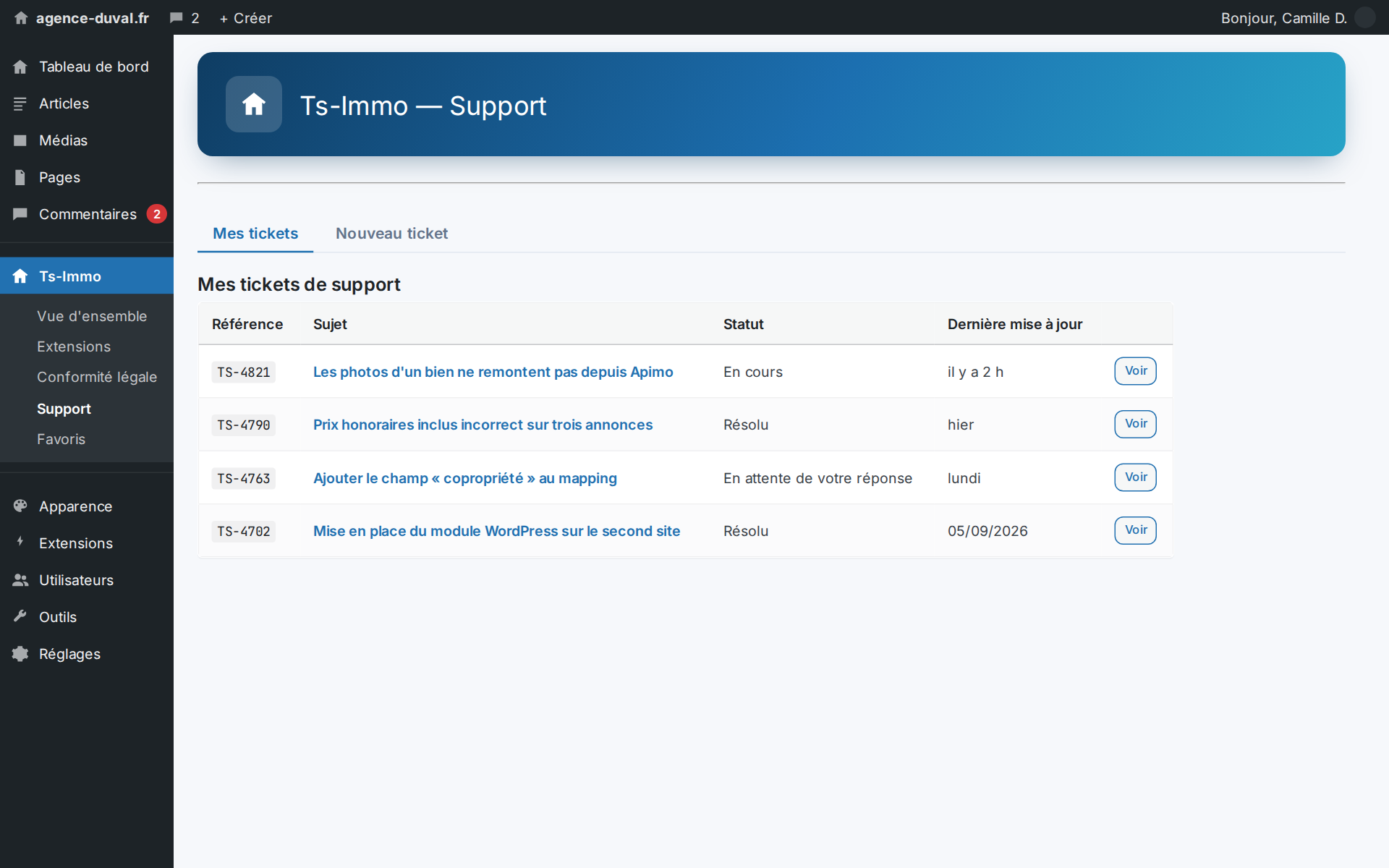
- Ticket and reply history in the admin, not in an email thread
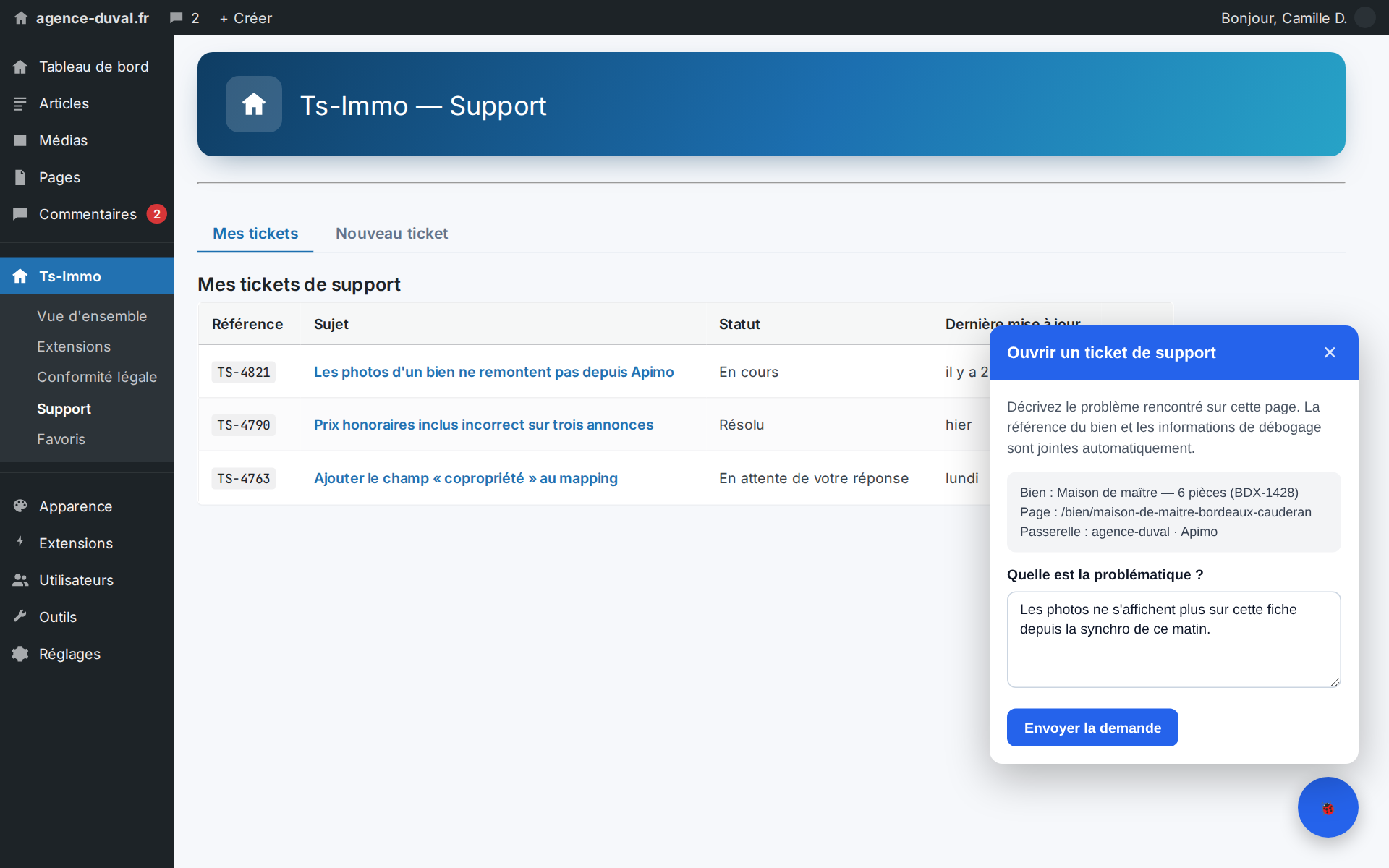
- Contextual report button: the property reference travels with the request
- From the error log, a ticket is created with the stack trace already inside
The automatically attached system report
A « Attach the system report (recommended) » checkbox is ticked by default. It adds a technical snapshot of the installation to your ticket, turning a « it doesn't work » into an actionable request from the very first message. You remain free to untick it.
| Report item | Detail |
|---|---|
| Versions | PHP, WordPress, Ts-Immo Manager version |
| Environment | Active theme, locale, multisite, PHP extensions (zip, cURL, OpenSSL…) |
| Ts-Immo extensions | Active, quarantined or disabled add-ons |
| Connectivity | Ts-Immo backend reachability and latency, pairing status |
The same report is shown in plain view below the form: you see exactly what will be sent before submitting.
Privacy and security
The add-on collects no visitor data. The form is restricted to site administrators with the required capability, and only appears when the site is paired with Ts-Immo. The request is authenticated and posted through the gateway; the system report is limited to technical metadata of the installation — never the content of your listings nor personal data of leads.
- Access limited to administrators (Manager capability) and a paired site
- Authenticated send through the gateway, protected by a WordPress nonce
- No visitor data nor listing content in the report
- Each request is logged in the site's audit trail
How to use it
Go to Ts-Immo → Support, describe your issue, leave the system report box ticked (recommended), then send. The ticket reference is shown as confirmation and follow-up continues on the Ts-Identity support side. If the site is not yet paired, a message first invites you to connect it to Ts-Immo.