Your real estate gateway, in plain sight
A web client area, included in every plan: the state of your syncs, the detail of every property received, the exact feed your CRM sent, your access keys and your invoices. No more opening a ticket to find out where a listing stands.
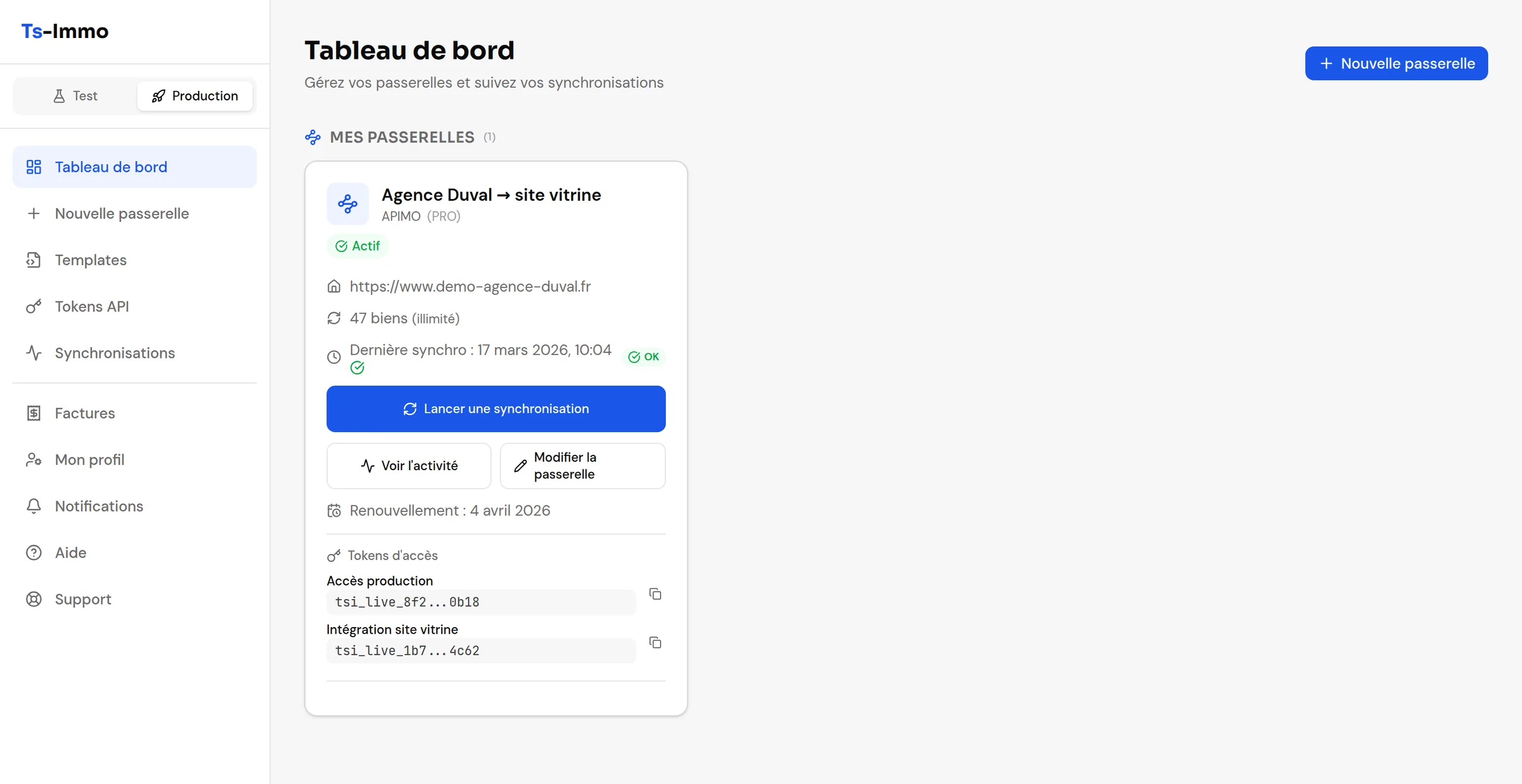
Real screenshots of the application, taken on a demo account — fictional agency “Agence Duval”.
What you do there
Six uses cover most of a typical week. The rest is two clicks away from these screens.
Monitor your syncs
Every CRM run is timestamped and quantified: properties created, updated, unchanged, failed. One report per sync, with its audit trail, and the option to run one by hand.
Check a property
The record as Ts-Immo understood it: price, areas, photos, mandate, negotiator. Plus a technical tab to compare it, field by field, with what the CRM sent.
Connect a website
A four-step wizard: plan, details, source CRM, target website. The WordPress plugin connects without a single key copied by hand.
Map the fields
Templates link Ts-Immo fields to those of your WordPress theme — Houzez, WP-Residence or custom — without touching the site's code.
Hand out access
Named API tokens, limited to the gateways you choose: one for your website, one for your webmaster, revocable at any time.
Handle billing and support
Plan, add-ons, invoices and tickets in one place. Support sees your setup: you don't have to describe it.
The dashboard, screen by screen
In the order it actually happens: you open your dashboard, look at your properties, connect your website, hand out access, then live with it.
The state of your gateways on one page, and the detail of every sync for whoever wants to know exactly what happened.
You see what your CRM sends
It's the question that costs the most time, on both sides: “why doesn't this field show up on my site?” Two screens answer it without anyone writing an email.
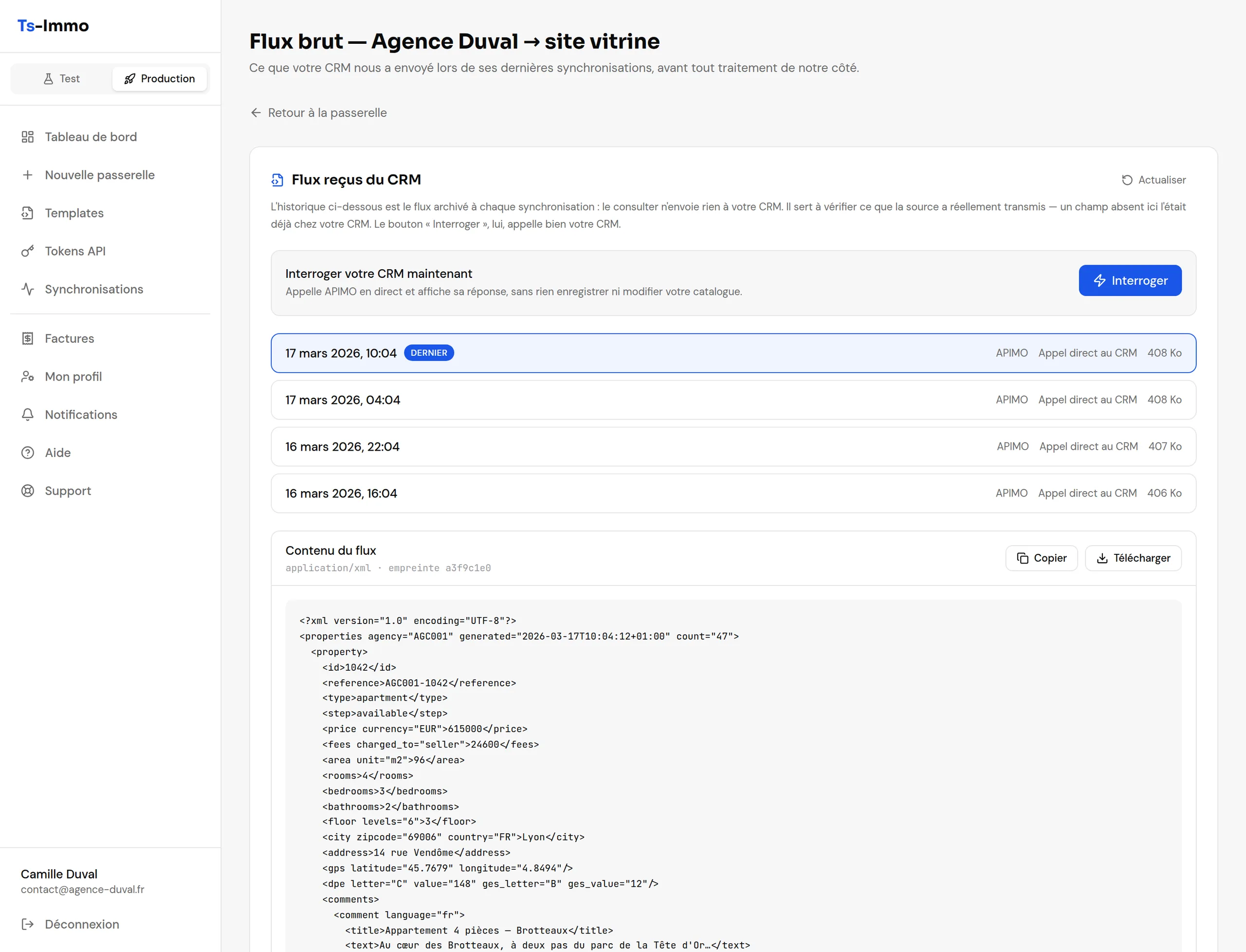
Raw CRM feed
The file archived at every sync, before any processing on our side. Readable, copyable, downloadable — plus a button to query the source live.
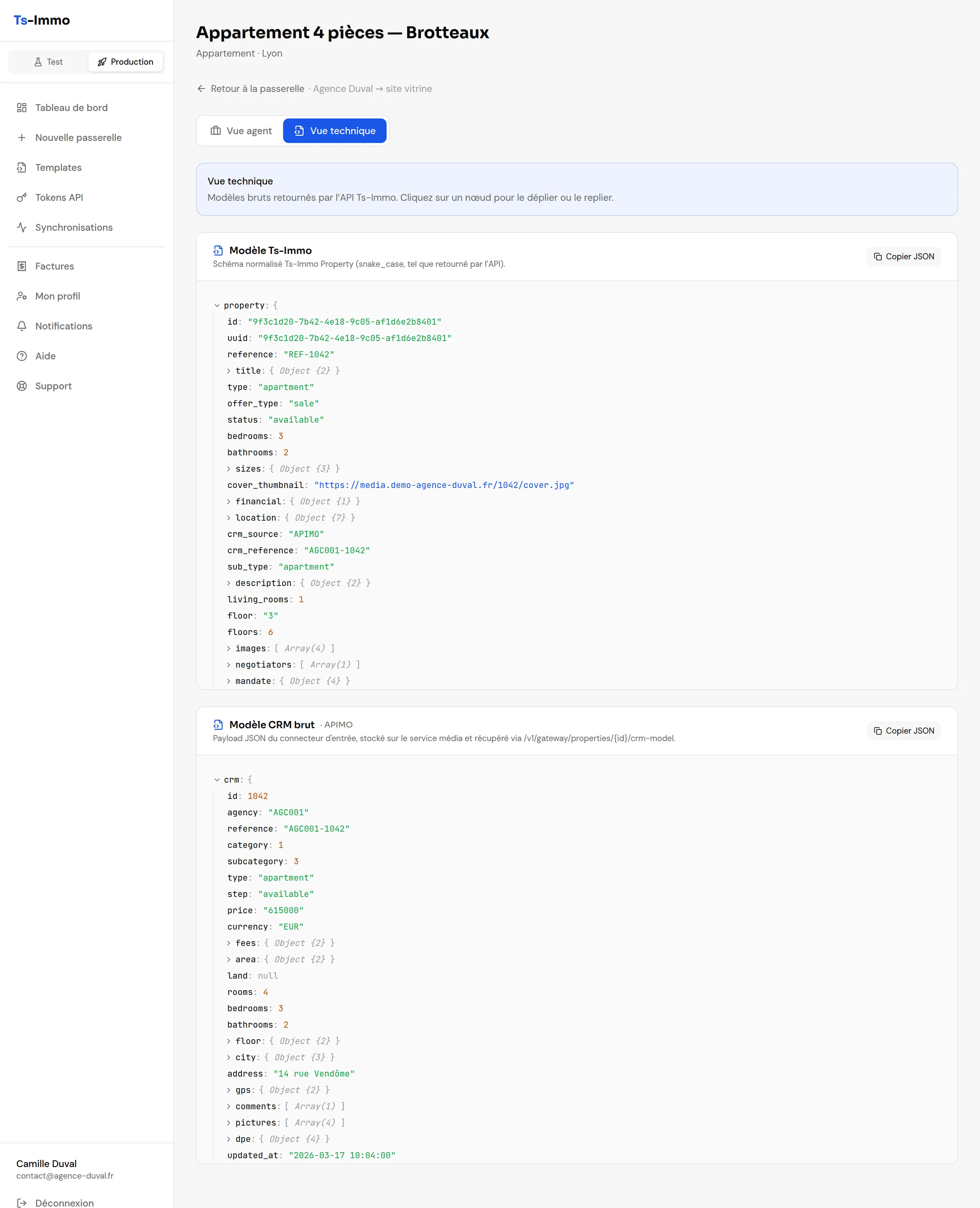
Technical view
The unified Ts-Immo model, then the raw CRM payload, on the same screen. That's where you see whether a field was already missing at the source.
What this changes
The feed on screen is the one the gateway archived during the last sync: reading it never calls your CRM, and so never eats into its quota, however often you look. A separate button queries the source live when it's the current state you care about — the gap between the two answers “did something just change on their side?”.
From your phone, between two viewings
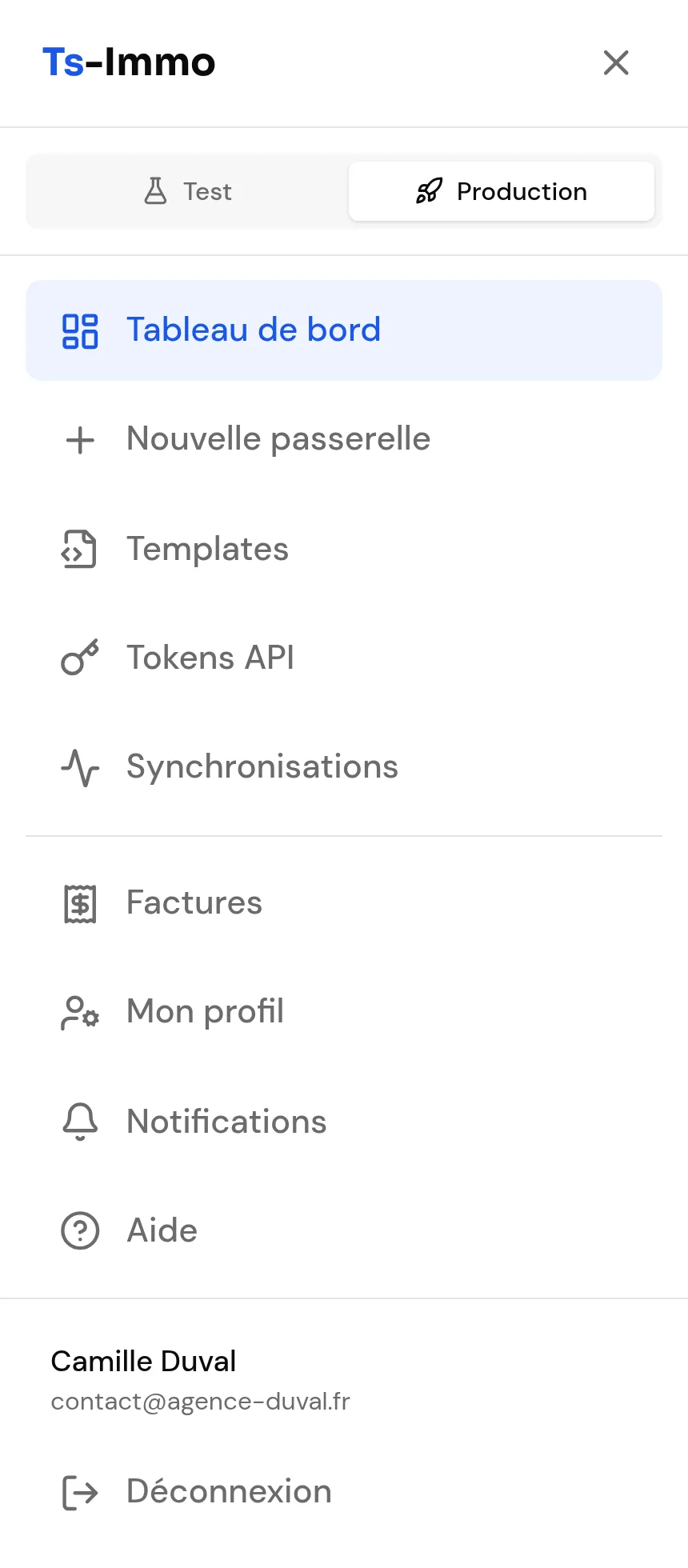
The dashboard is a web application: it opens in your phone's browser, with nothing to install and no app store to go through.
- Check that a sync went through, from the car
- Pull up a property record and its CRM reference in front of a client
- Answer a support ticket without going back to the office
- Run a manual sync right after entering a listing in the CRM
Try before you publish
Nothing you try reaches your live website until you decide it should.
A separate test environment
A test gateway lives alongside production, never syncs automatically, and deletes itself after fifteen days. Enough to try a connector or a template without touching the live site.
An alert when the CRM stops returning anything
A gateway whose software no longer returns any property keeps up appearances: the site still shows the catalogue from the last run. The dashboard says so — a banner on the record, a badge on the card, since when, and how many properties are affected.
Support that sees what you see
Tickets open from the dashboard, attached to the gateway concerned. Support has the setup, the sync reports and the raw feed in front of them.
Frequently asked questions
Is the dashboard a paid extra?
No. It is included in every plan, the free one included: as soon as you create an account, you have access. Only some add-ons, such as Insights, add extra screens.
Is there anything to install?
No. It is a web application: it opens in a browser, on desktop as well as on a phone. The only thing to install is the “Ts-Immo Sync” WordPress plugin on your site, and the wizard handles that.
Can I see what my CRM actually sent?
Yes, and it is probably the most useful screen. The “Raw feed” page shows the file archived at every sync, before any processing on our side. A property's technical view does the same at listing level, showing the unified Ts-Immo model and the CRM payload side by side.
Does reading the raw feed call my CRM?
No. The feed on screen is the one the gateway archived during the last sync: reading it does not eat into your software's call quota. A separate, clearly marked button queries the source live when it is the current state you care about.
Can I give my webmaster access without sharing my password?
Yes. That is exactly what API tokens are for: you create a named key, limited to the gateways you choose, and revoke it once the job is done. Your account stays yours.
Is the dashboard available in English?
Yes, in French and English, like the rest of the product. The language follows your browser's and can be changed at any time.