What this add-on does
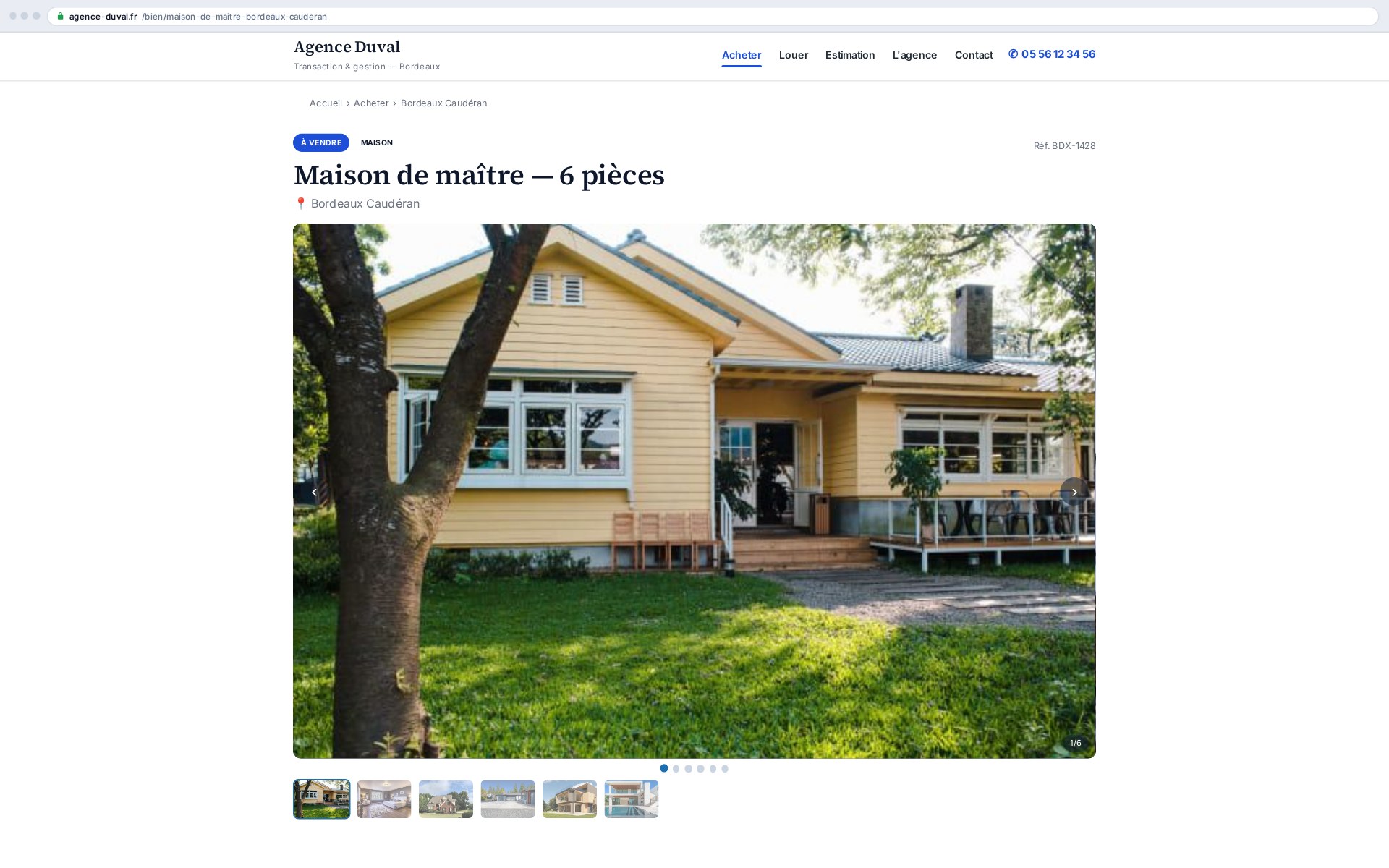
The Gallery slider presents a property's photos in a polished carousel, droppable anywhere via a shortcode. The images are the ones already imported by the Ts-Immo gateway (Ts-Sync): no re-entry, no manual upload. All rendering is local — no third-party JavaScript library, no external call, no visitor data stored.
- Configurable autoplay (interval, pause on hover, pause when the tab is hidden)
- Arrows, navigation dots and a thumbnail strip, each individually toggleable
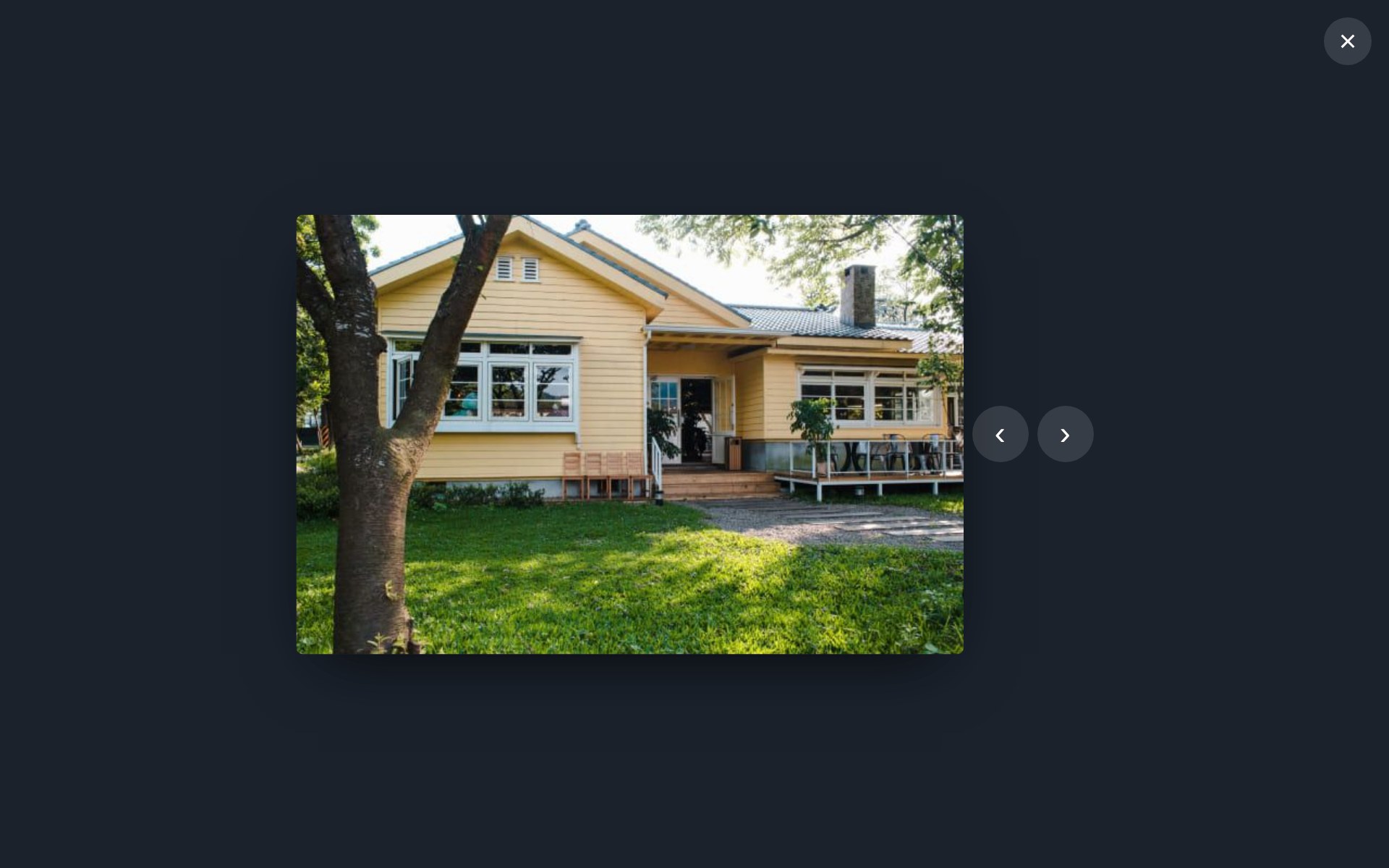
- Lightbox: click the image → full screen, ← / → navigation, close with Esc
- Keyboard navigation and touch swipe, careful accessibility, prefers-reduced-motion aware
What it changes for you
A buyer judges a listing in seconds, and judges it on the photos. A slow or cramped gallery sends the visitor back to a portal where the same photos are shown properly — and where your competitor pays to be on top. Showing your images large, on your own site, keeps the visit and the call.
- Every CRM photo, with no manual picking
- Full screen on click, keyboard and touch navigation
- Lazy loading: the page stays fast even with thirty photos
- No external service, so nothing to declare under GDPR
WordPress integration
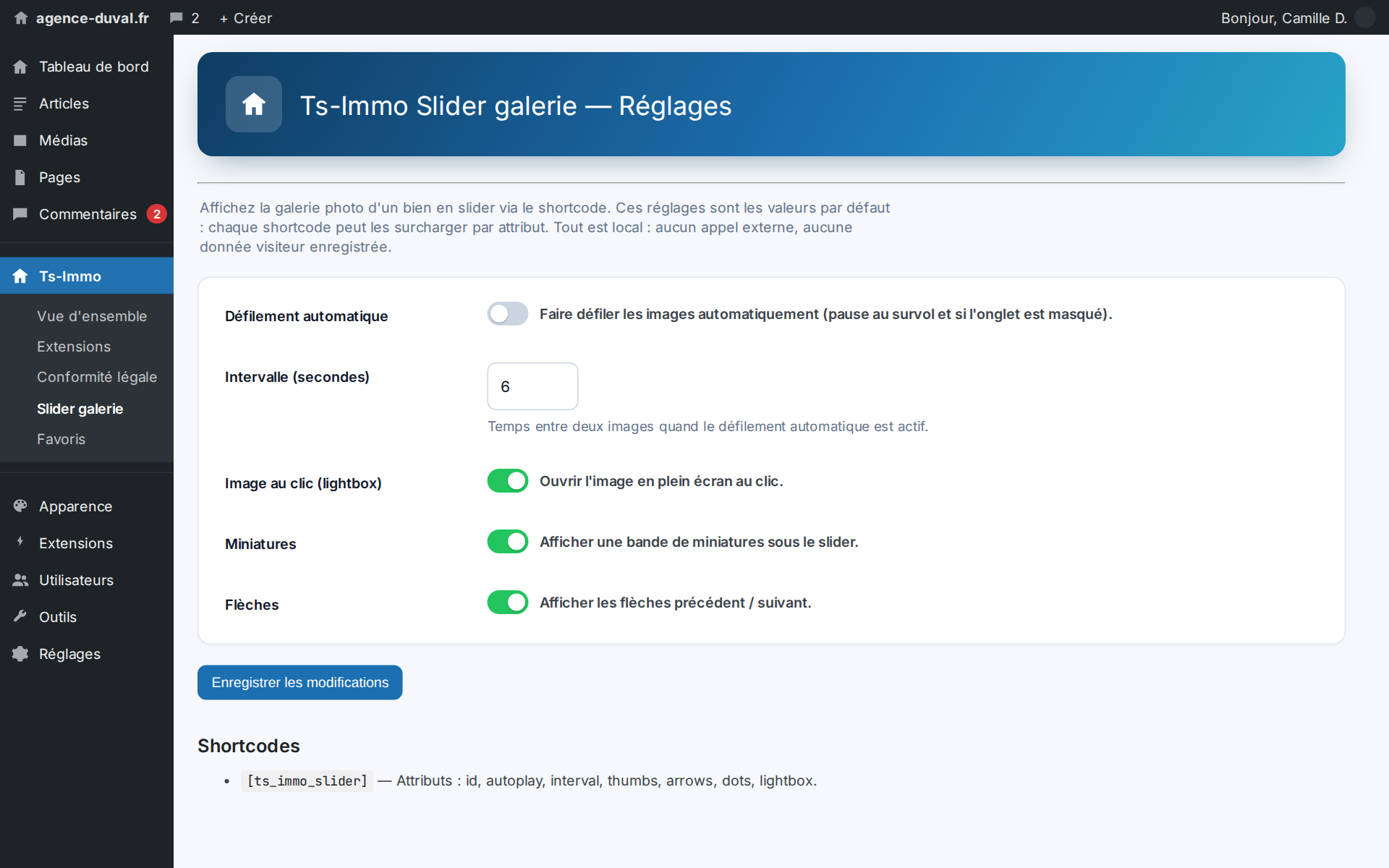
Drop the shortcode into a listing template or content: it renders the current property's gallery. Each attribute overrides the global defaults set under Ts-Immo → Gallery slider.
[ts_immo_slider]
[ts_immo_slider id="123" autoplay="1" interval="6" lightbox="1" thumbnails="1" arrows="1" dots="1" loop="1" size="large"]
Shortcode attributes
| Attribute | Role | Default |
|---|---|---|
| id | Property post to display | current property |
| autoplay | Autoplay (1/0) | settings |
| interval | Seconds between images | settings |
| lightbox | Full-screen image on click (1/0) | settings |
| thumbnails | Thumbnail strip (1/0) | settings |
| arrows | Previous / next arrows (1/0) | settings |
| dots | Navigation dots (1/0) | settings |
| loop | Looping (1/0) | settings |
| size | WordPress image size (large, full…) | settings |
Images are the property's attachments, ordered by the position postmeta set by Ts-Sync (position 0 = featured image).